-
Introduction
-
Core concepts
-
Digging deeper
-
Frequently asked questions
-
Legal
Multi-Factor-Authentication (MFA)
There are several options available to secure your user basis in scoopa.
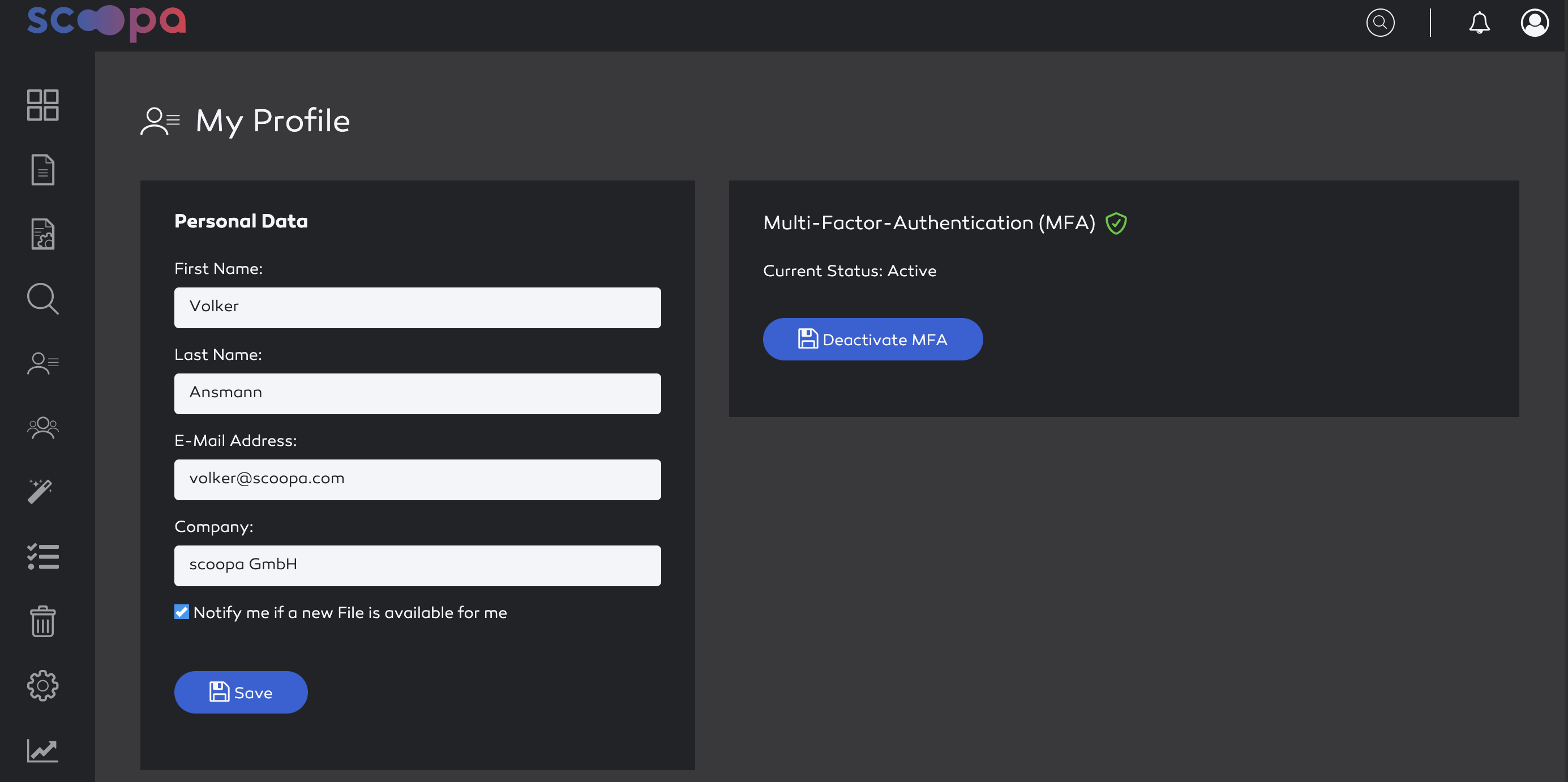
Voluntary activation of MFA. Every user can activate this themselves on their settings page
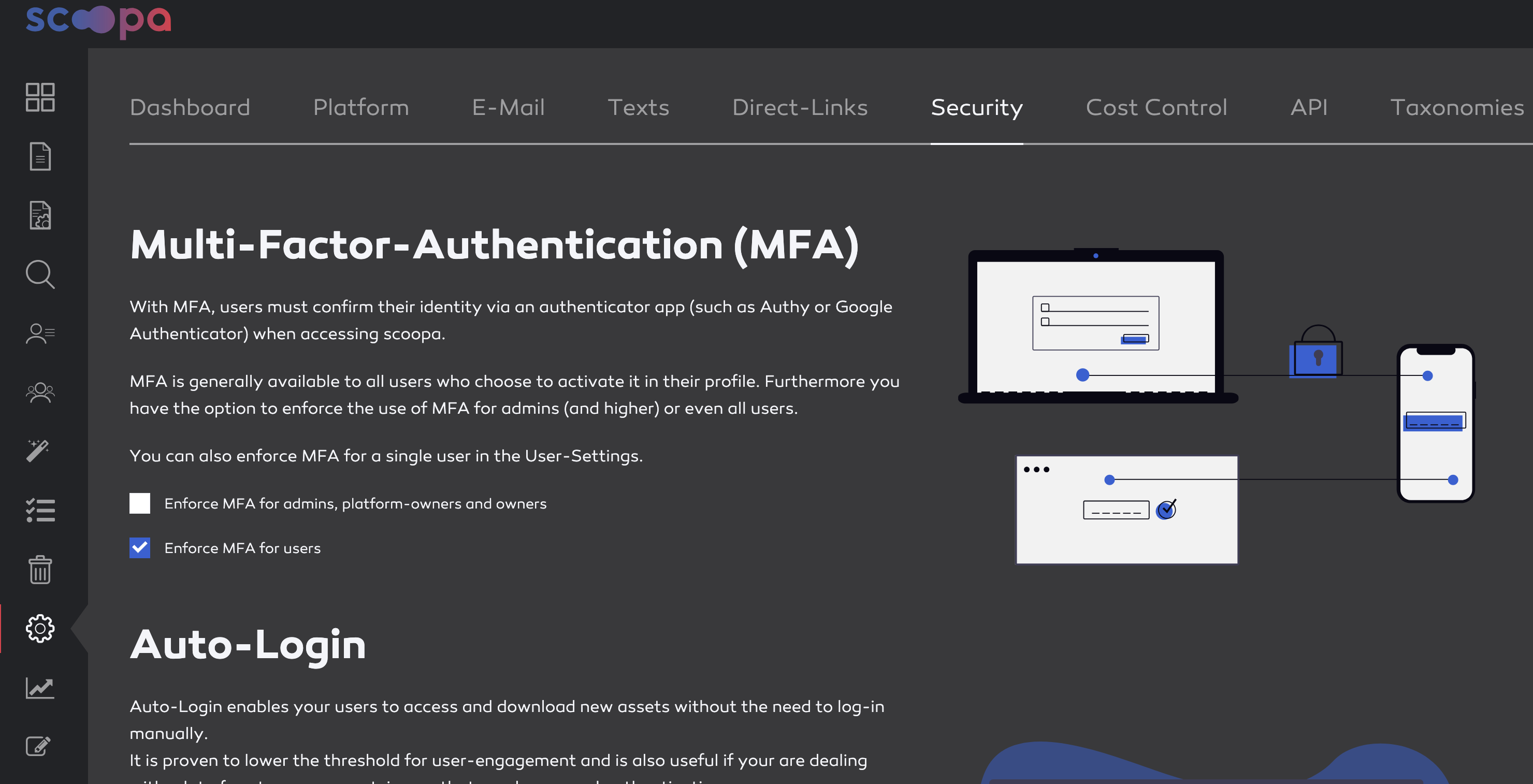
Enforce MFA for users. Can be activated under "Settings -> Security" by all owners
Enforce MFA for admins, platformowners and owners. Can be activated under "Settings -> Security" by all owners
Enforce MFA for a single user. Available under the user-settings of the user, can be activated by all admins
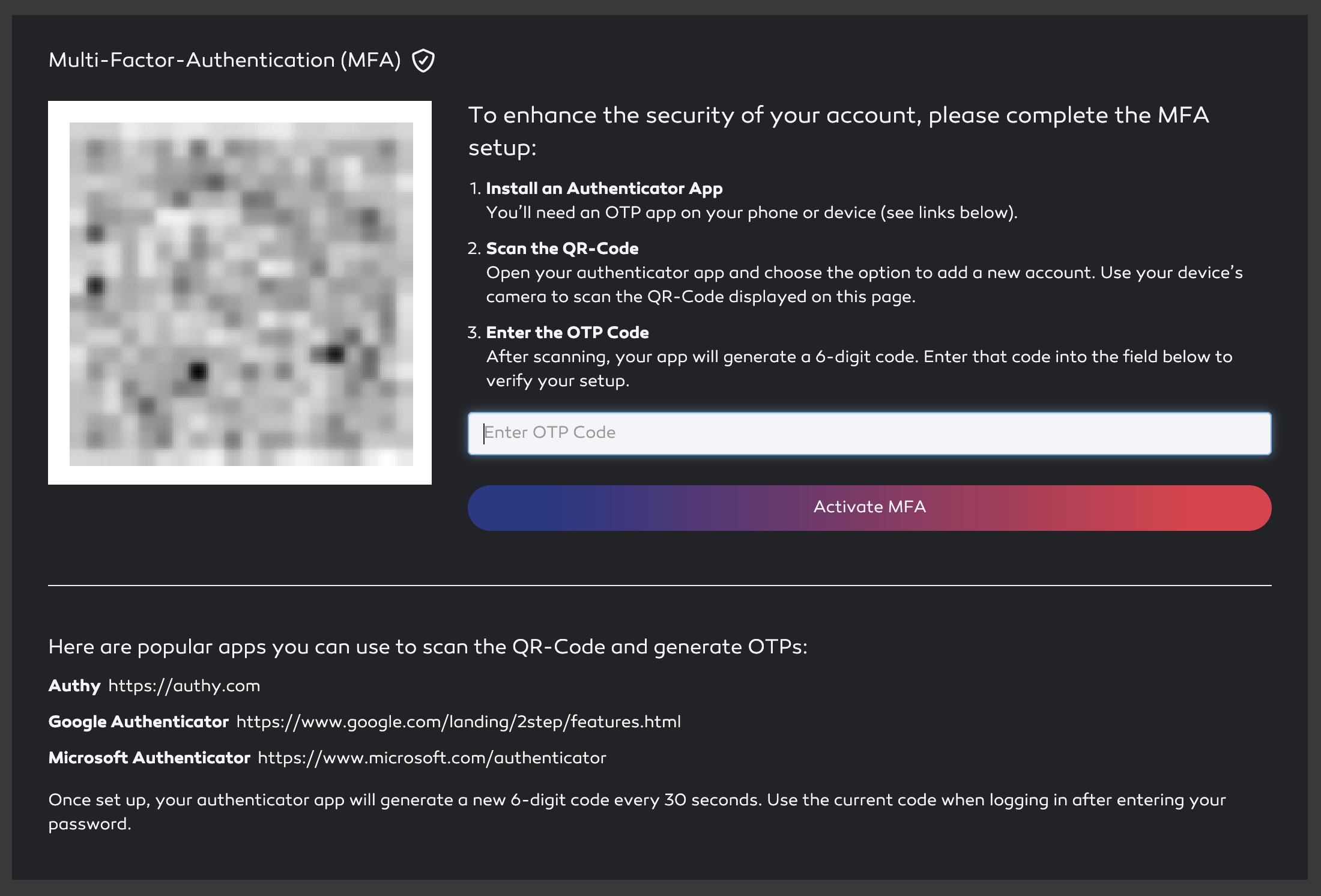
Once enforced, a user that has not yet completed the MFA Setup is redirected to the MFA-Setup-Page after login. Once completed a OTP promt is presented after an sucessfull login.
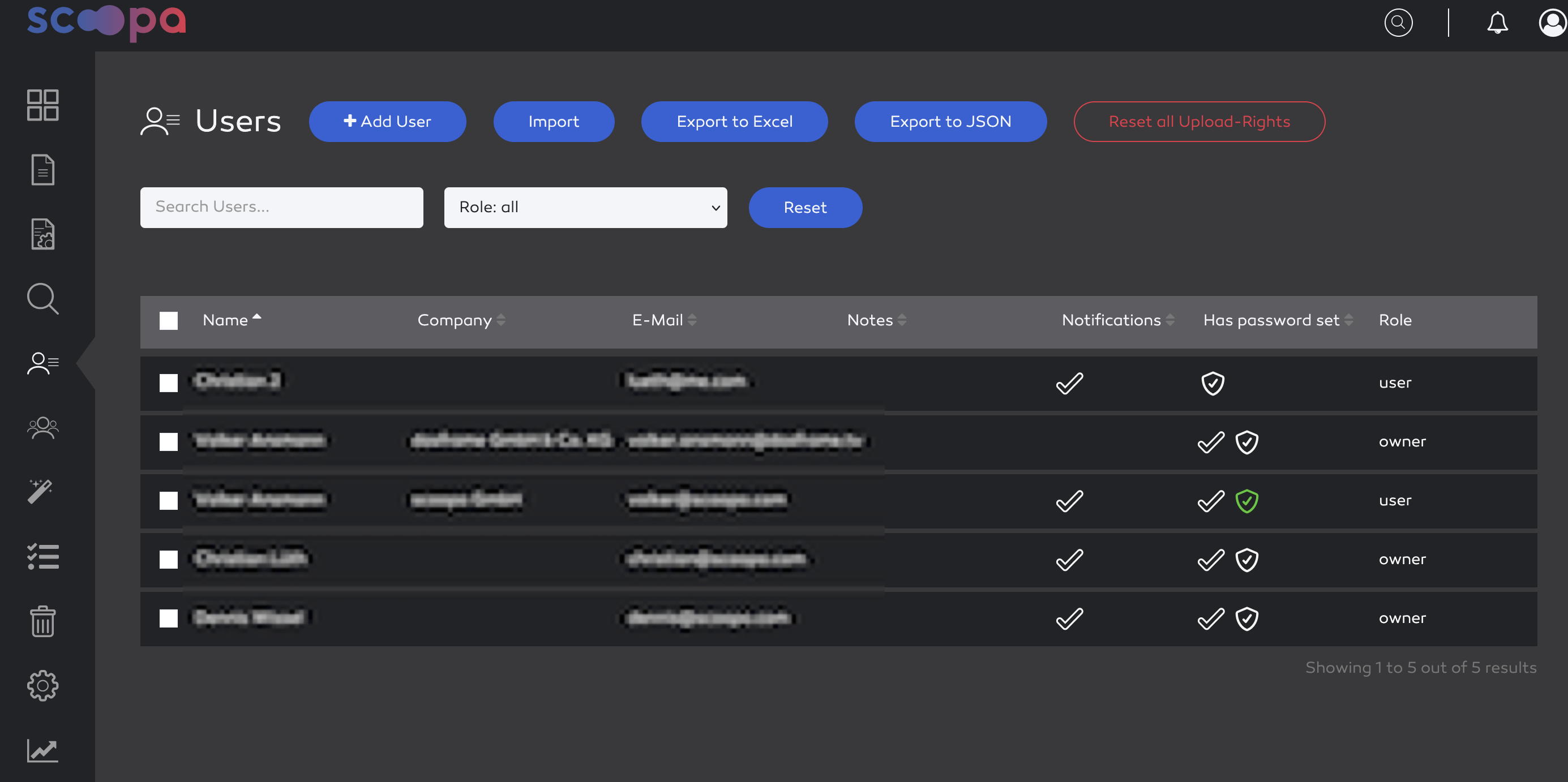
You can see the MFA Status in the user-overview as well. A blank icon indicates that MFA is enforced, a green one indicates that MFA is active.
Additional Images: