Security

There are several mechanisms available in scoopa to make your platform more the secure and/or more accessible, depending on your needs.

Multi-Factor-Authentication (MFA) is a additional layer of protection to your normal email/password login. Auto-Login is a feature designed to make loging in for users an effortless experience.


Auto-Login

Auto-Login enables your users to access and download new assets without the need to log-in manually.
It is proven to lower the threshold for user-engagement and is also useful if your are dealing with a lot of customer-support-issues that revolve around authentication.

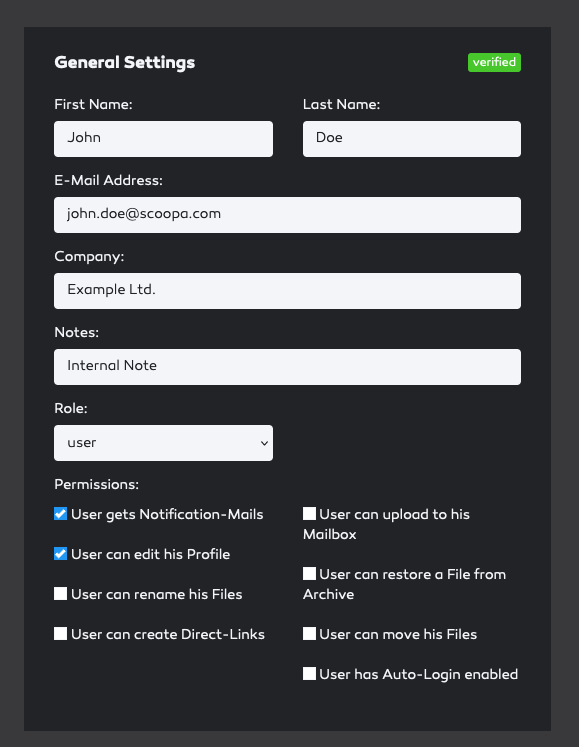
Auto-Login can be enabled platform-wide for all users in "Settings" -> "Security" or individually on a user-basis in the user-settings. Please be aware that the platform-wide setting takes precedence over the user-setting when activated. (no opt-out on a user-basis possible).
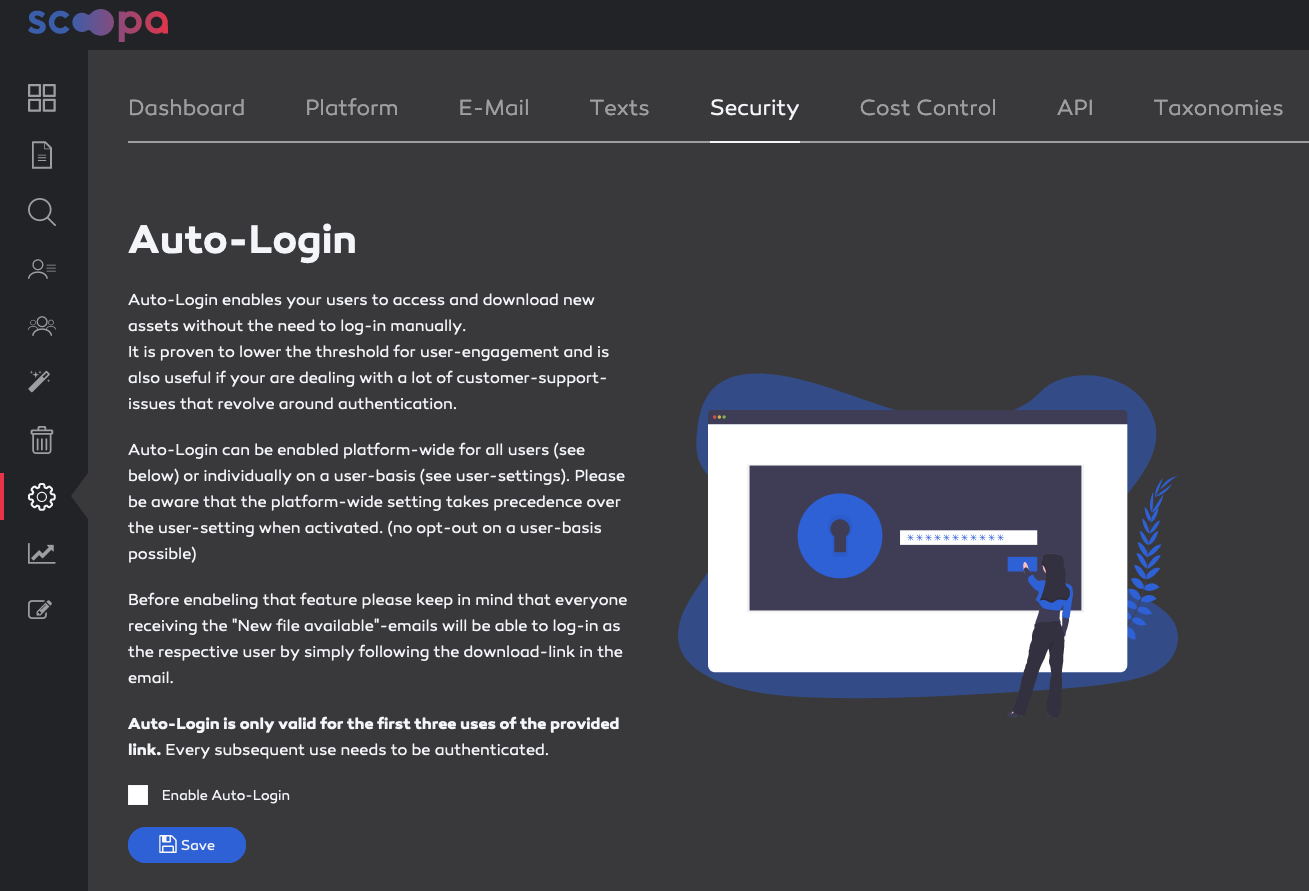
Before enabling that feature please keep in mind that everyone receiving the "New file available"-emails will be able to log-in as the respective user by simply following the download-link in the email.

Auto-Login is only valid for the first three uses of the provided link. Every subsequent use needs to be authenticated.
Multi-Factor-Authentication (MFA)

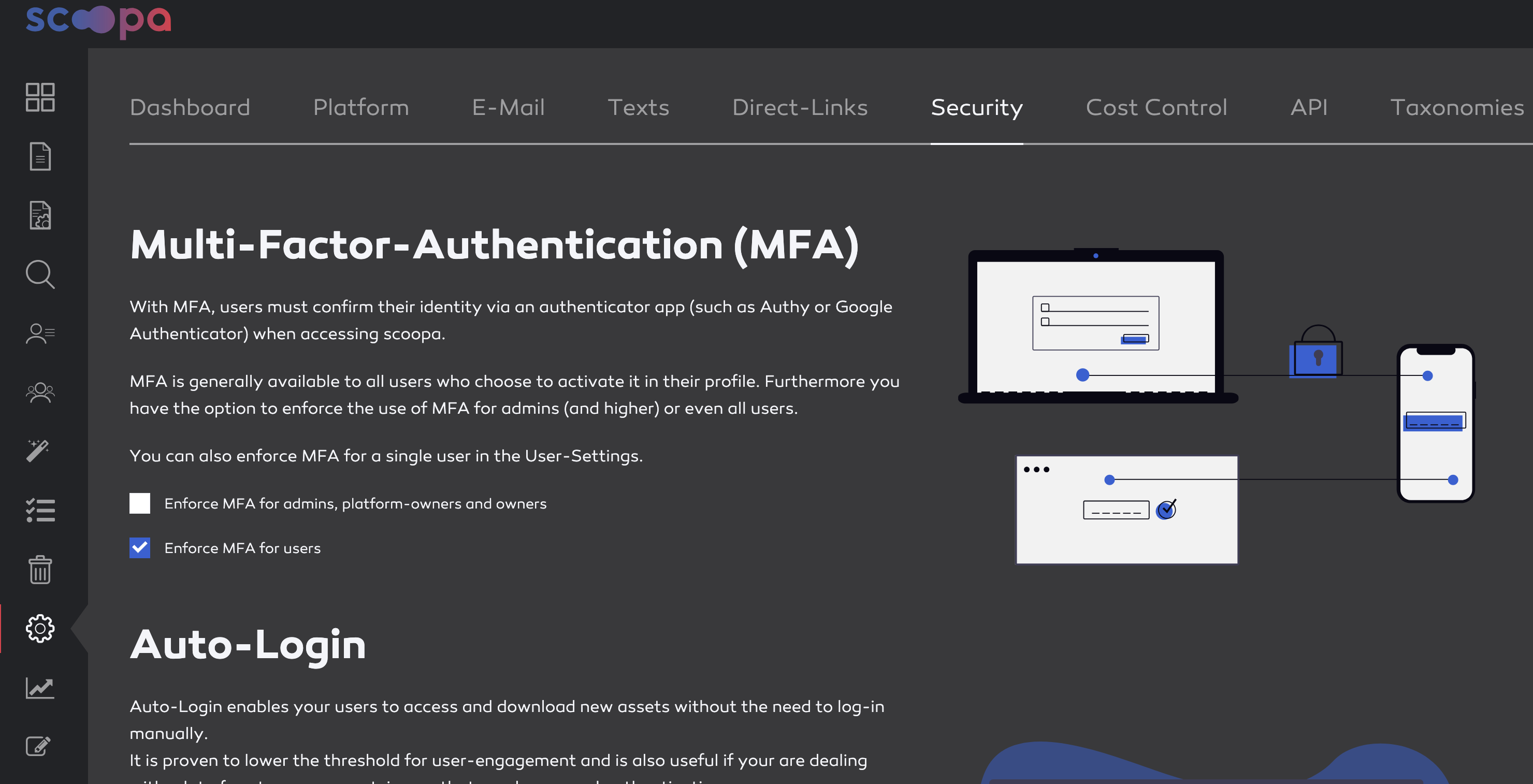
There are several options available to secure your user basis in scoopa.

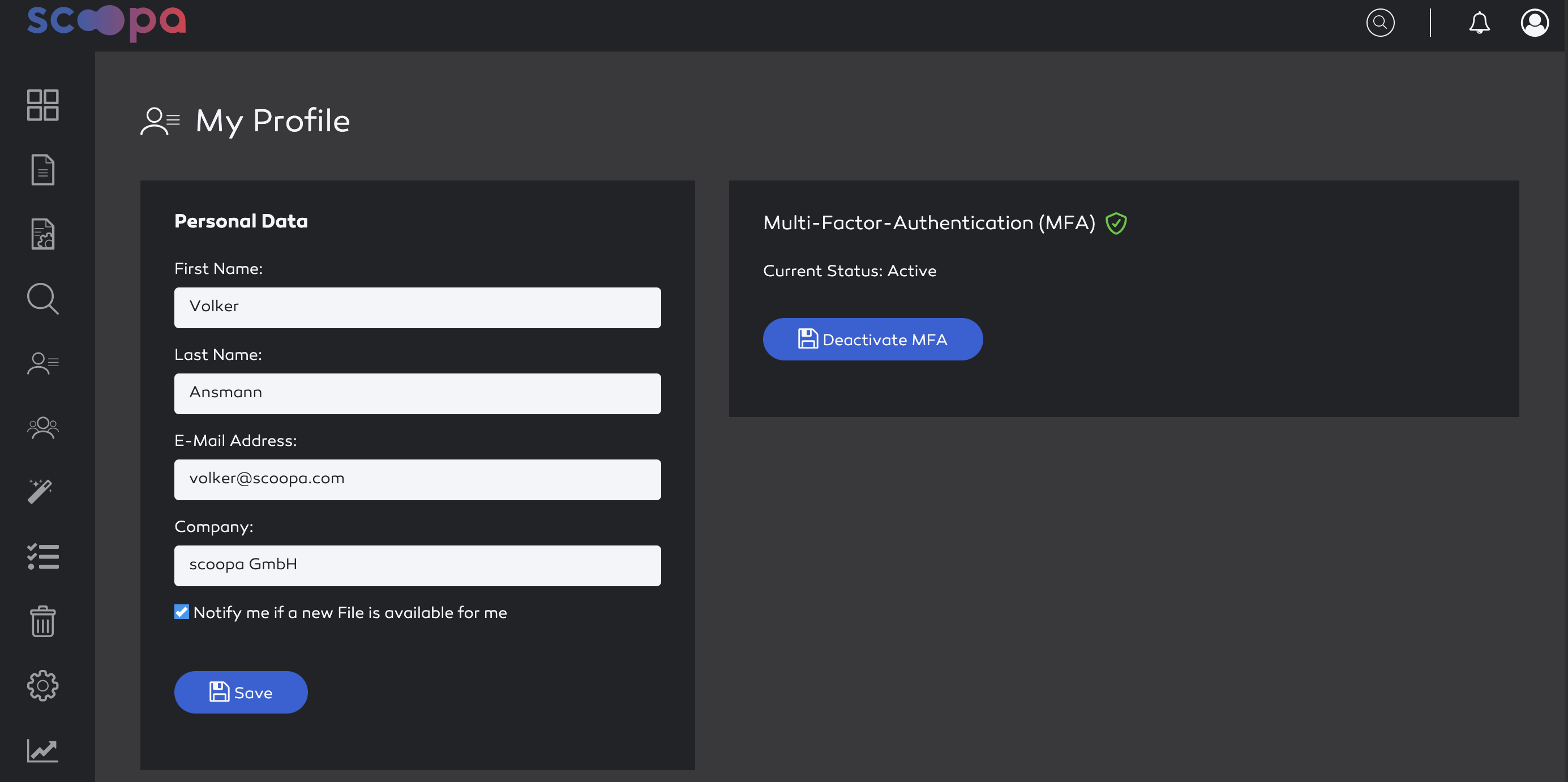
  • Voluntary activation of MFA. Every user can activate this themselves on their settings page

  • Enforce MFA for users. Can be activated under "Settings -> Security" by all owners

  • Enforce MFA for admins, platformowners and owners. Can be activated under "Settings -> Security" by all owners

  • Enforce MFA for a single user. Available under the user-settings of the user, can be activated by all admins

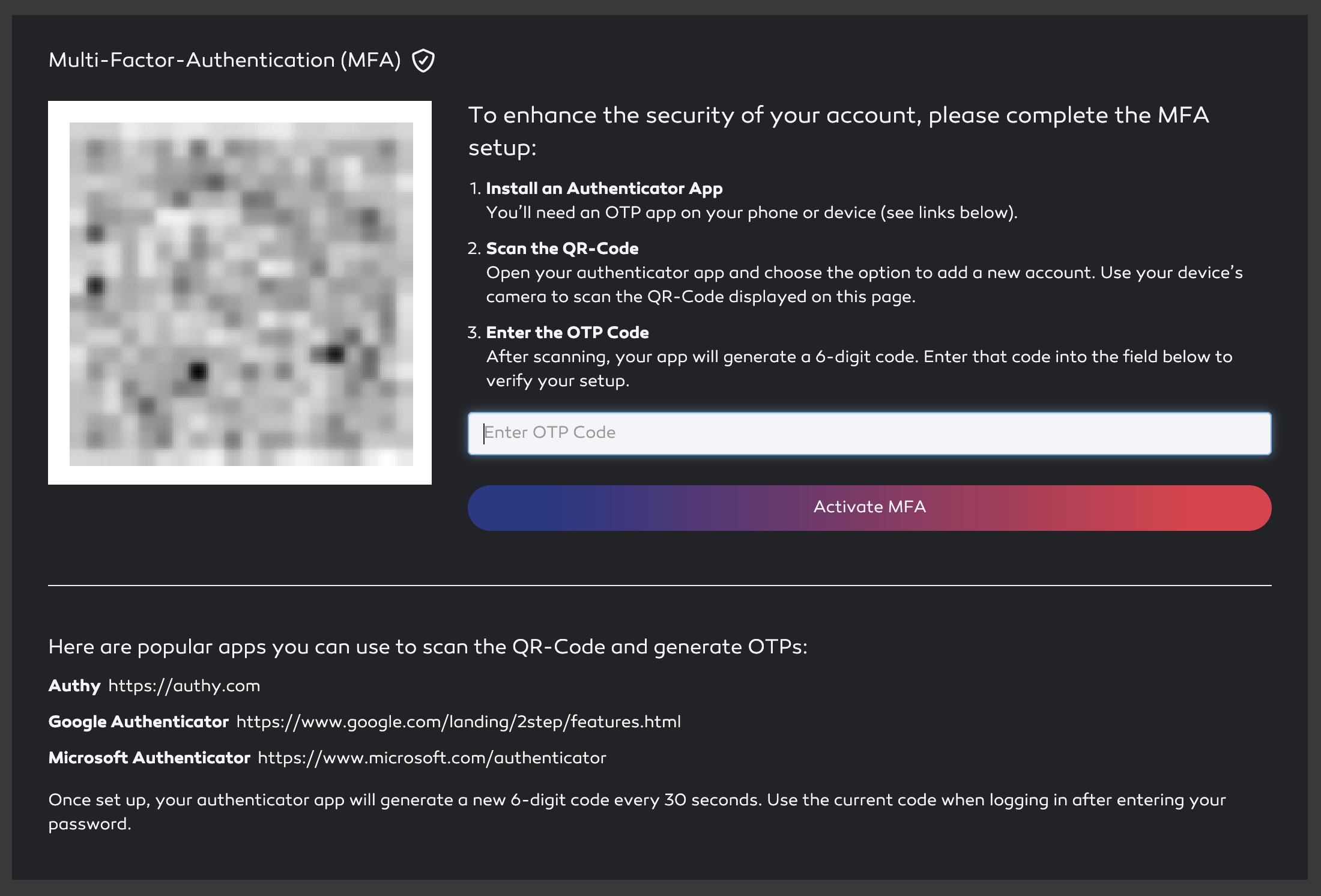
Once enforced, a user that has not yet completed the MFA Setup is redirected to the MFA-Setup-Page after login. Once completed a OTP promt is presented after an sucessfull login.

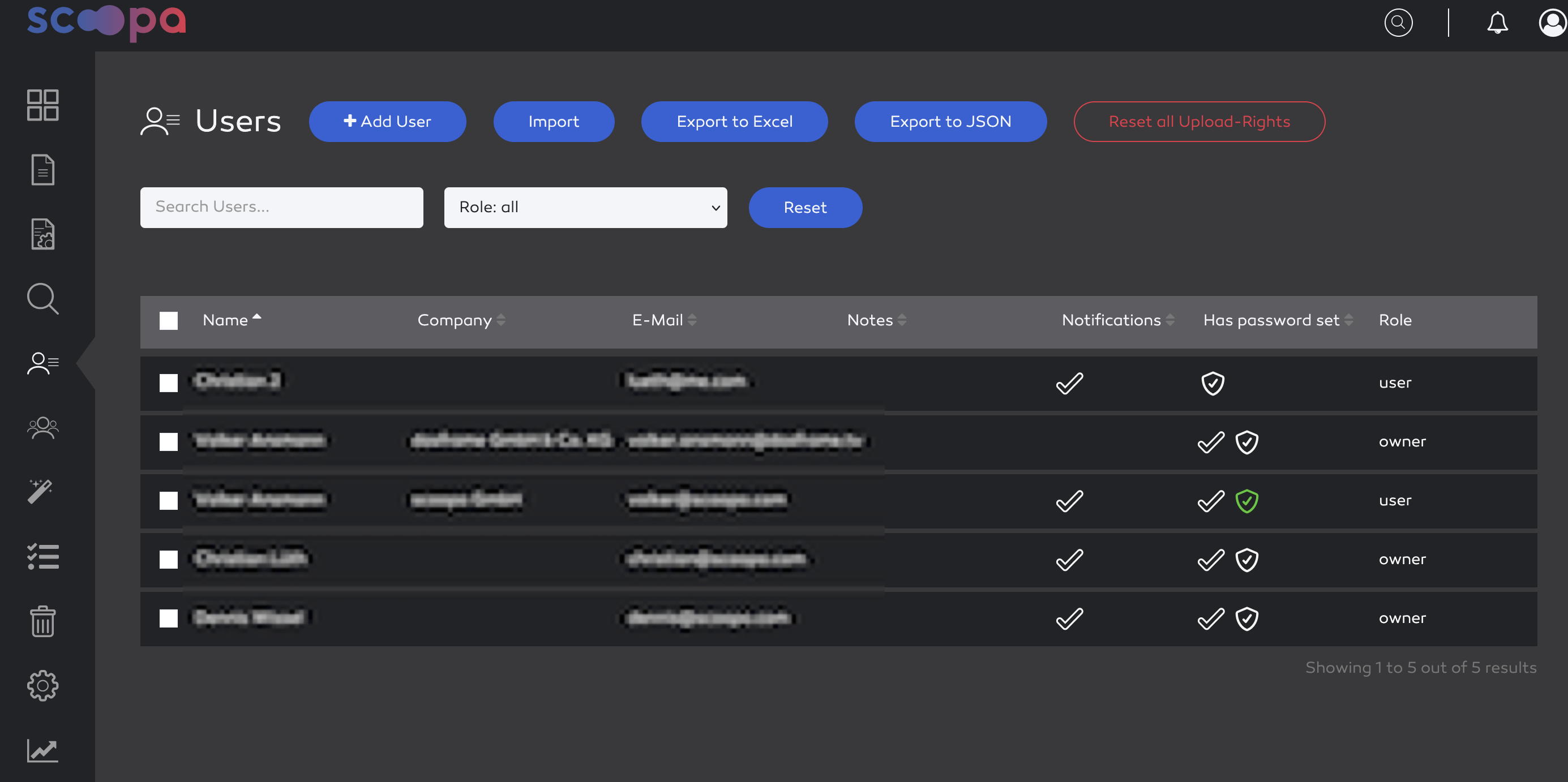
You can see the MFA Status in the user-overview as well. A blank icon indicates that MFA is enforced, a green one indicates that MFA is active.

Additional Images: