-
Introduction
-
Core concepts
-
Digging deeper
-
Frequently asked questions
-
Legal
Order history
If you click on the icon with the list and shopping cart in the menu on the left, the order summary or history will open.
View for users
Users see an overview of all orders sorted in descending order by order date, along with any relevant approval information (approving admin, date and time, and status).
The list can be filtered using the search field (e.g., by date or approving admin) or via the status drop-down menu. You can also sort the list by clicking the corresponding arrows in the header.
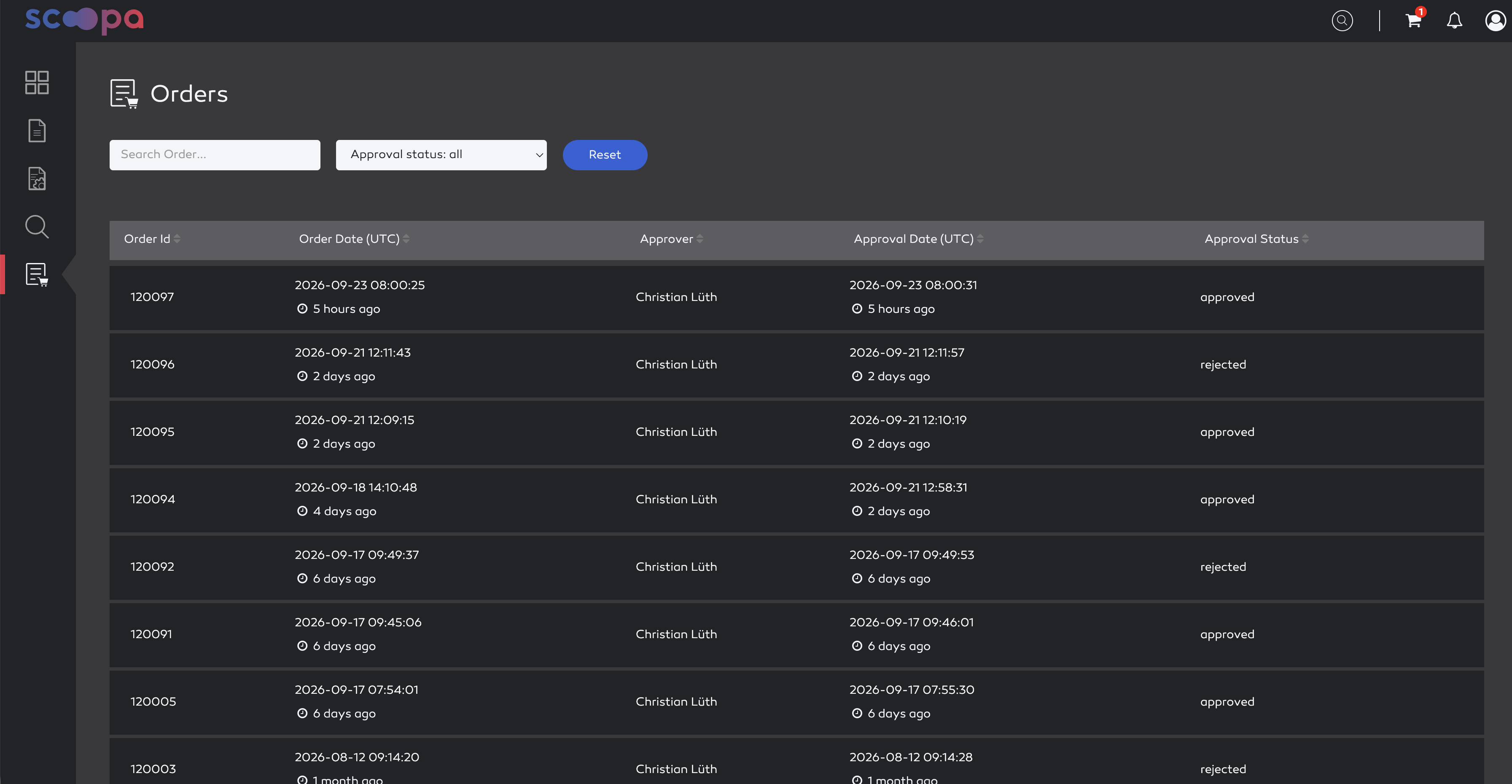
order history
For all orders that are no older than 7 days, a detailed view can be opened by clicking on the corresponding order. This view contains information about the order, such as the number of assets ordered and the order status.
Below that, all ordered assets are listed in a grid view, including filenames, preview images or videos, and upload dates. Clicking on an asset opens the file’s detail view in the order folder, provided the order has been approved. Otherwise, the detail view of the original file opens.
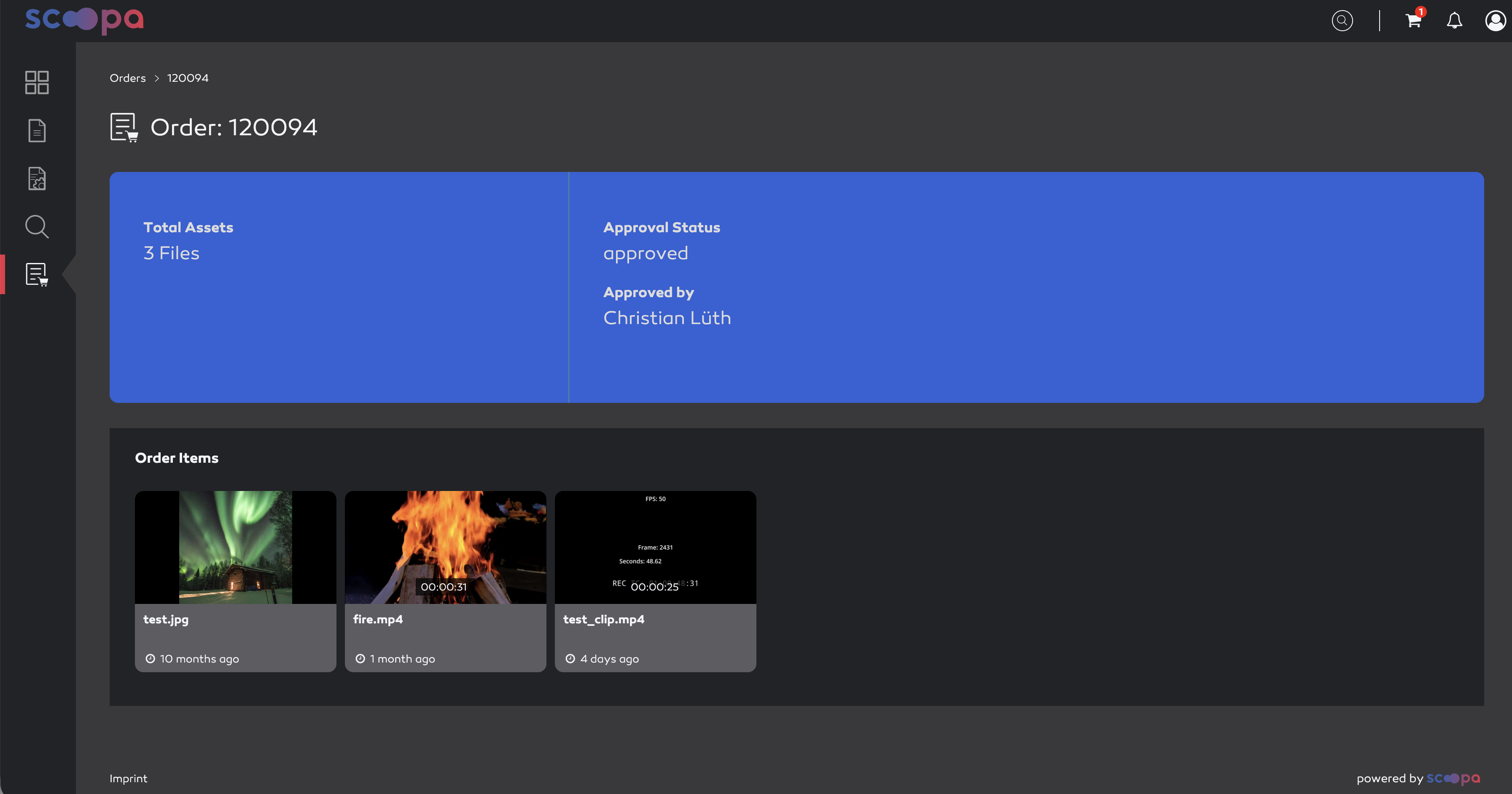
order details
View for admins (approver)
Approving admins can view all users’ orders in their overview. In addition to the user view, you can also sort or filter by “customer” here.
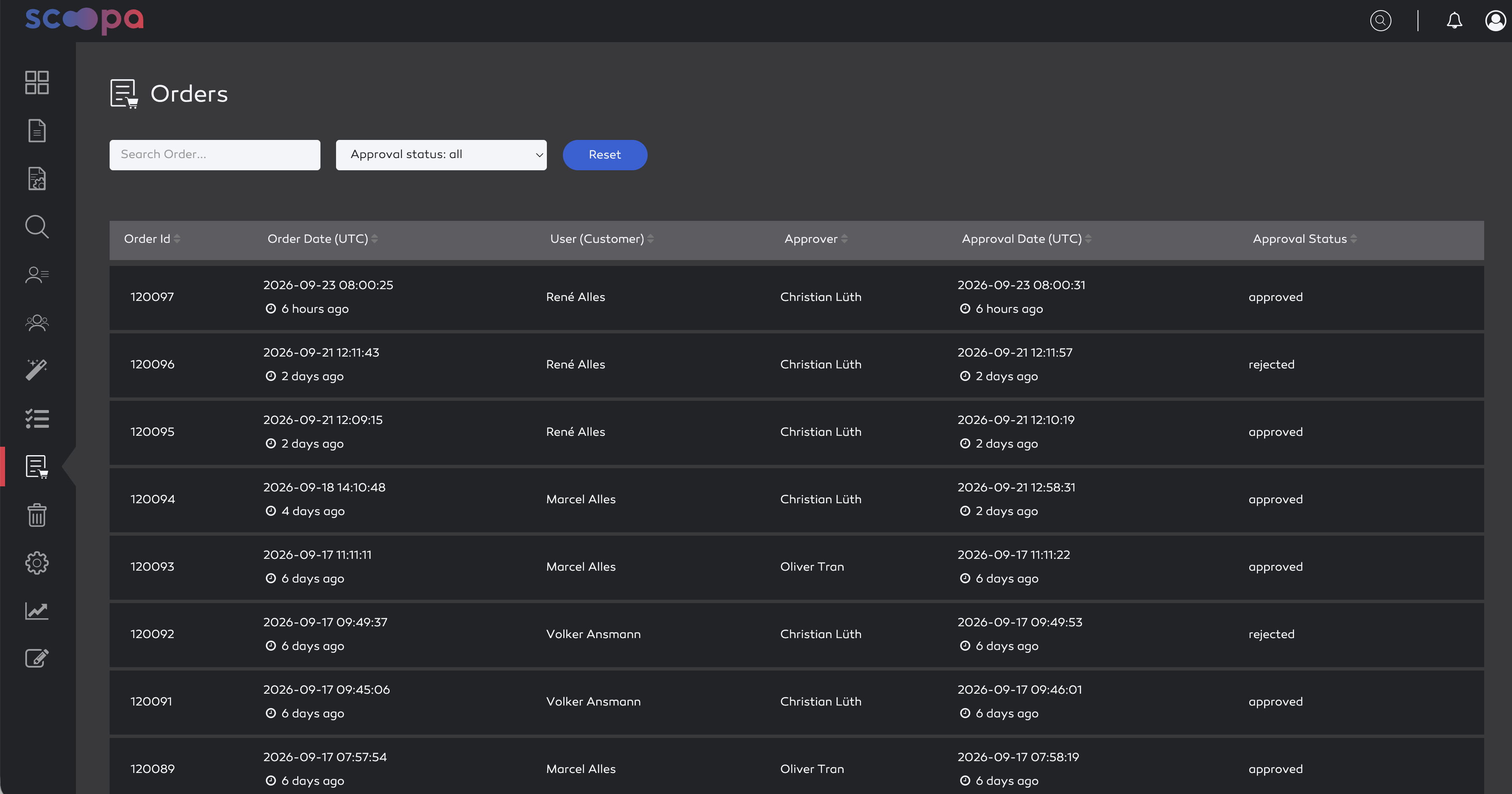
order history
In the detail view, the admin can see additional information about the requester. Requested orders can also be approved or rejected here. In the grid view below, the admin can navigate to the respective original asset by clicking on an asset.
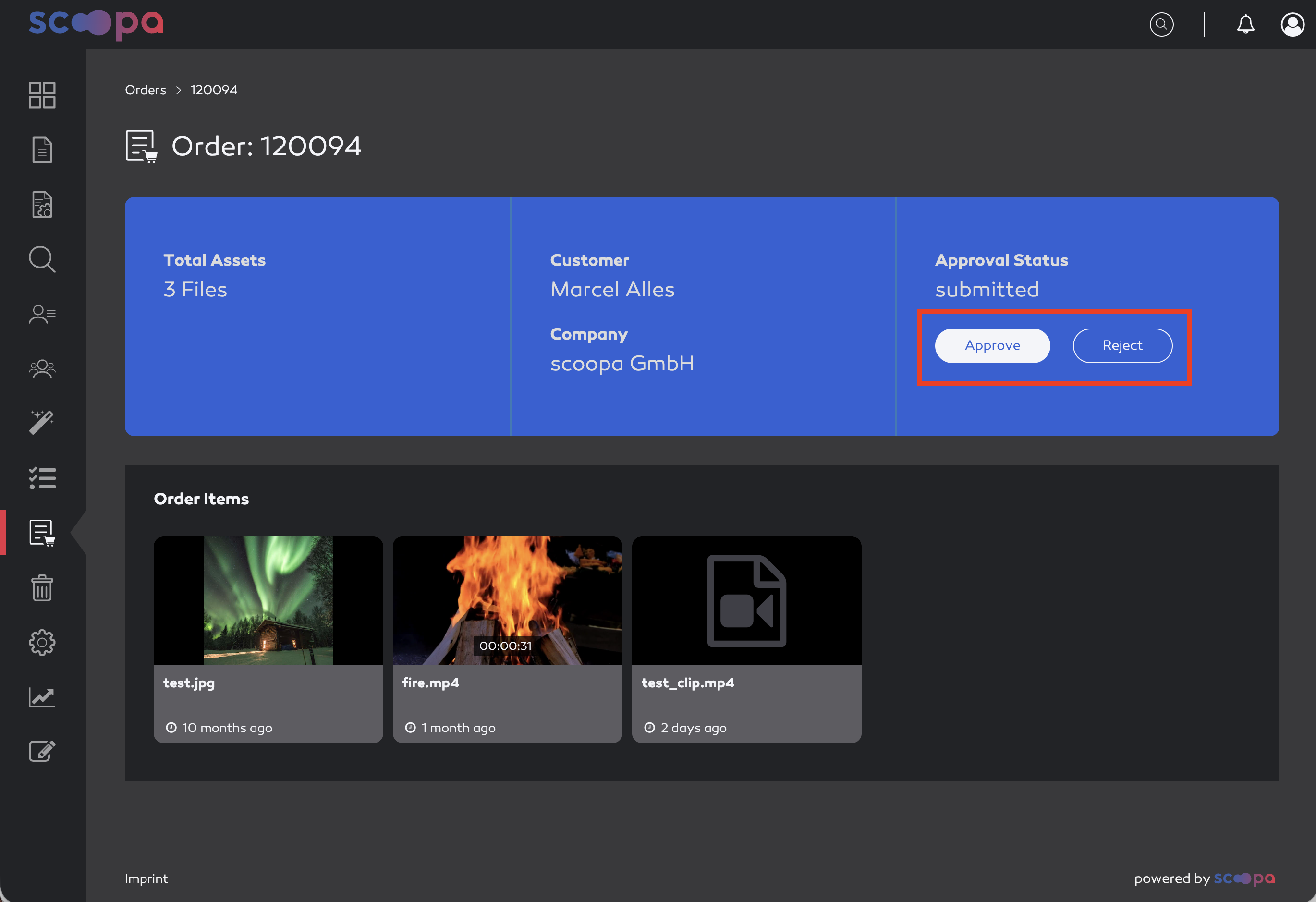
order details